 |


The gamemode's icon, which displays a hammer.
Sandbox is the default gamemode of Garry's Mod.
Usage
The Sandbox gamemode comes preinstalled with Garry's Mod and is usually where most new player spend their time. The gamemode's versatility makes it easy to test addons and play with friends or on servers.
Features
Spawn Menu
This gamemode features a spawn menu, by default opened with Q that has taken some change over its time. Pressing F1 will enable the model search. The left part of the menu allows its users to spawn ragdolls, NPCs, entities, vehicles, dupes, and props. The right part of the menu allows its users to configure the Tool Gun, server settings and player settings
Scoreboard
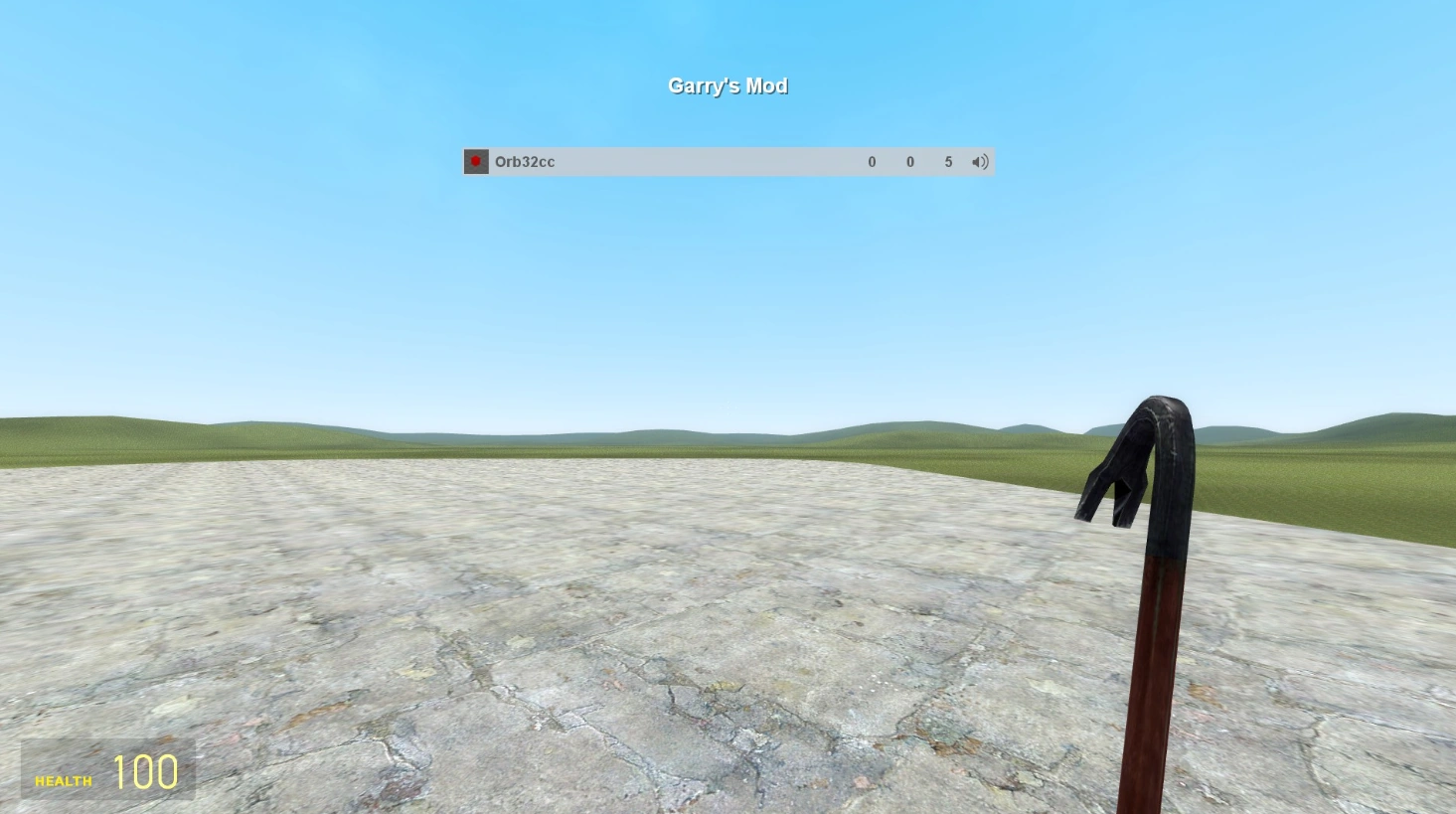

Default sandbox scoreboard in Garry's Mod 13
Each gamemode in Garry's Mod is allowed to have its own custom scoreboard. By default, the scoreboard displays a players username, number of kills, deaths, and ping, along with an option to mute users in voice chat.
The context menu can be opened by holding the C key and it frees the mouse cursor, it lets the player do multiple things like change their player model to either one of the pre-installed ones or ones from the Steam Workshop. The context menu also let's you also change things in the gamemode, such as the weapons the NPCs spawn with. It also let's you change what appears on your screen, such as effects and and the bodies of NPCs that have been killed.